

What you will do
You will add a public Help Center or supported documents to the workspace corpus, check source health, and review extracted articles before making knowledge available to an experience.Add a source
1
Open Knowledge
In the Dubot dashboard, open Knowledge, select Add source, and choose Crawl a URL or
Upload documents.
2
Crawl a Help Center
Enter the full start URL. Choose This page only or Index pages under, then confirm the
same-origin path Dubot should include. The crawler respects
robots.txt; allowlist
dubot-crawler if the source blocks it. When you need only part of a documentation site,
prefer the narrowest stable section root, such as /guides, /sdk, or /reference, instead
of the site root.3
Upload documents
Upload PDF, DOCX, Markdown, or TXT files, up to 20 MB each. Review ownership and sensitivity
before adding them to a workspace corpus.
Check health and sync
Review the source status, article count, corpus size, extraction failures, and the latest sync. You can re-crawl one web source or sync all crawl sources. Optional weekly synchronization is available for web sources. The existing corpus remains available during a re-crawl. Compare the article count with the pages you intended to index. A Healthy source can still be incomplete.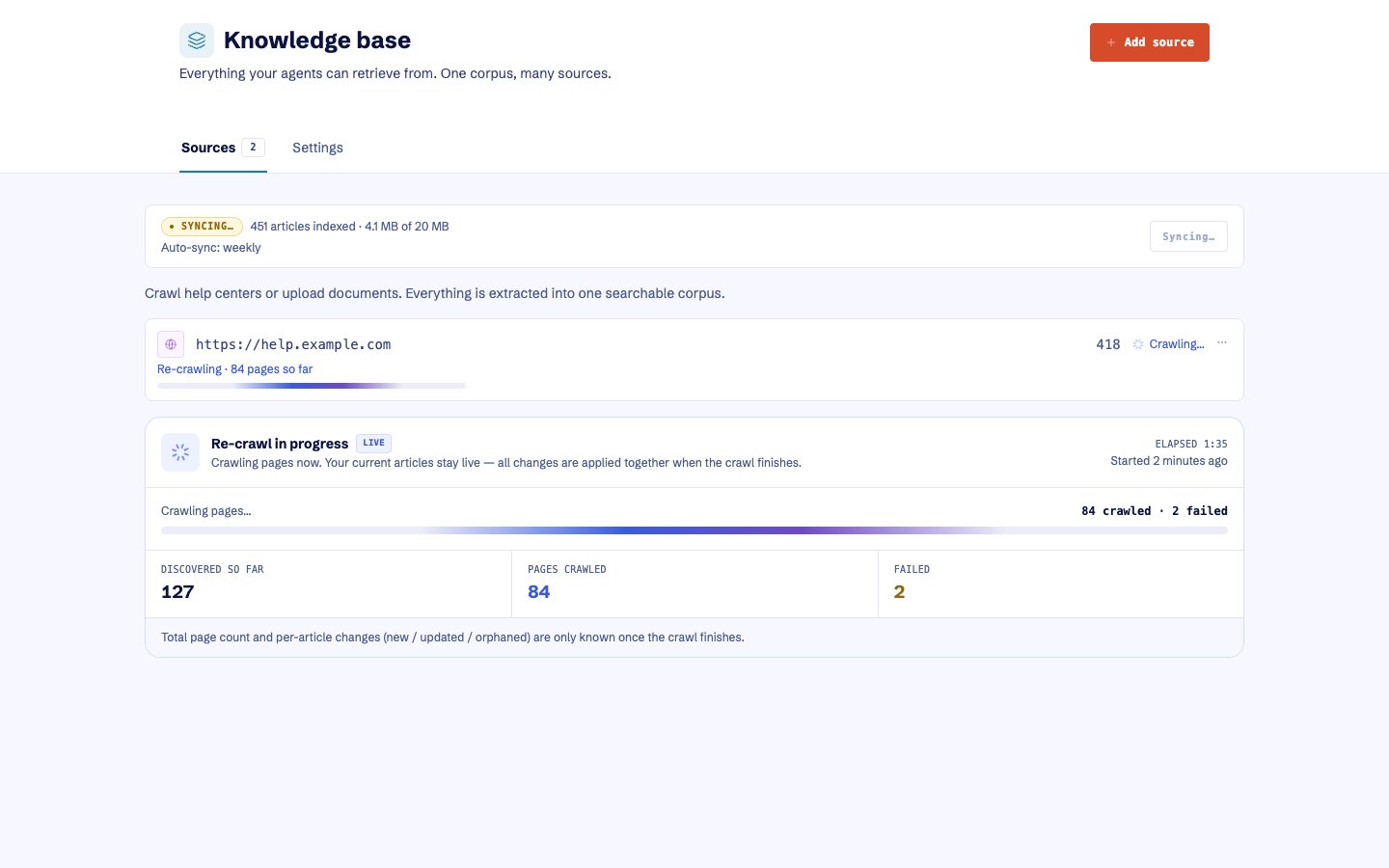
A re-crawl reports discovered and added pages while the existing corpus stays available.
Inspect articles
Open extracted articles to confirm titles, links, content, and the source they came from. Look for content that is no longer found at its source. Treat those entries as potential orphans. Re-crawl when Dubot could not verify the missing pages, and remove only verified orphaned articles. Delete a source only when you intend to remove every article extracted from it.Resolve ingestion problems
Re-crawling preserves the existing corpus until Dubot accepts the replacement. Do not delete a
healthy source merely to retry a failed refresh. After a documentation release, re-crawl the
affected section or select Sync all, then spot-check the article count, titles, and links.